Looking for the best Claude Code alternatives? Compare top options like CloudGeometry, Cursor and more on governance, brownfield fit and cost model.
The ten alternatives below are not competing for the same job. They split into two groups that solve fundamentally different problems, and reading them as one ranked list is the most common evaluation mistake teams make.
Key Takeaways (TL;DR)
- Who Claude Code Is For: Developers who want a terminal-based agentic coding tool with strong multi-file reasoning, long-context codebase comprehension, and CLI-first task execution.
- Why Seek a Claude Code Alternative: Token-heavy sessions can generate significant API costs at scale, and the terminal-only interface creates friction for teams that work in an IDE. More fundamentally, Claude Code improves individual developer output but does not close the lifecycle gap, the mismatch between how fast individuals can now write code and how fast an organization can actually ship it.
- Two Different Categories: Most Claude Code alternatives operate at the developer tool layer, improving what an individual engineer can do. A smaller set operates at the delivery organization layer, changing what the organization can ship. Deciding which layer your bottleneck sits at should come before any tool evaluation.
- Best Overall Alternative: CloudGeometry is the best Claude Code alternative for organizations whose constraint is delivery rather than developer output. AppGraph provides persistent system context, and AI-MSL delivers governed lifecycle execution on your existing stack.
- An Important Clarification: AI-MSL executes with Claude Code. As an inaugural Anthropic Consulting Partner, we run Claude Code alongside Codex and Gemini inside a governance layer. If you are choosing between Claude Code and CloudGeometry, you are comparing a coding tool to the delivery model that operates it, not two competing tools.
- How to Choose: Ask six questions: which layer of the stack does it address; does it work on brownfield production systems; can you trace a deployed change back to a business requirement; what happens to system knowledge when your key engineers leave; are you buying a seat, a token, or an approved change; and where does your code live if the relationship ends.
Table of Contents
- Top Claude Code Alternatives in 2026 at a Glance
- Why Consider Claude Code Alternatives?
- Best Claude Code Alternatives: In-Depth Review and Comparison
- Why Does CloudGeometry Work Across Multiple Use Cases?
- When Does It Make Sense to Move Beyond a Coding Tool?
- What Makes a Good Claude Code Alternative?
- How to Choose the Right Claude Code Alternative for Your Needs
- Everything You Need to Know About Claude Code Alternatives
- Already Using Claude Code? Add the Layer It Cannot Reach
- FAQs About Claude Code Alternatives
Top Claude Code Alternatives in 2026 at a Glance
The ten alternatives below are not competing for the same job. They split into two groups that solve fundamentally different problems, and reading them as one ranked list is the most common evaluation mistake teams make.
Delivery Organization Layer
These change what your organization can ship. They are bought by engineering and finance leadership rather than adopted by individual developers.
Developer Tool Layer
These make individual engineers faster inside an editor or terminal. None of them own the lifecycle, and none produce a per-change audit trail.
Competitor pricing and feature details are accurate as of July 2026 and change frequently. Verify current terms with each vendor before making a purchasing decision.
Why Consider Claude Code Alternatives?
What Claude Code Does Well
Claude Code is Anthropic's terminal-based agentic coding tool, built on Claude's long-context reasoning. It operates as a CLI that developers run directly in their terminal, and it reads, understands, and modifies codebases at a contextual depth that in-editor tools typically cannot match.
It performs strongly on public coding benchmarks, handling multi-file refactoring, codebase-level exploration, and complex reasoning tasks particularly well. It also maintains context across a large portion of a codebase in a single session.
Developers use it to produce reviewable diffs rather than inline suggestions, which suits teams that want to understand exactly what changed before committing. For developers who already live in the terminal and need strong agentic capability, Claude Code is a capable choice.
We should be direct about our own position here: CloudGeometry runs Claude Code inside AI-MSL, and we are an inaugural Anthropic Consulting Partner. We rate it highly because we use it. What follows is not an argument that Claude Code is weak, it is an argument about which problems a coding tool can and cannot solve.
Where Claude Code Falls Short
- Cost variability at scale: API token consumption can be significant on large agentic tasks. On usage-based plans, heavy users can exhaust allowances quickly, and for engineering teams running multiple developers in parallel, the monthly picture is harder to predict than a per-seat subscription.
- Terminal-only interface: Claude Code has no IDE integration. For developers comfortable in the terminal, that is a non-issue. For teams where most engineers work inside VS Code or JetBrains, it requires a workflow shift that reduces adoption.
- No lifecycle governance or traceability: Claude Code generates code that a developer reviews and applies. There is no mechanism to trace a deployed change back to a business requirement, confirm expert review, or produce an audit artifact. For teams in regulated environments, that gap is a hard stop.
- Individual productivity gains do not compound into organizational throughput: A team of ten developers all using Claude Code is still a team of ten developers. Coordination overhead, review bottlenecks, and tribal knowledge locked in individuals' heads constrain delivery just as they did before. The tool amplifies what developers produce; it does not change how the organization delivers.
- System knowledge does not persist: Claude Code loads context for the duration of a session and discards it. It does not build a durable model of your system. When a senior engineer leaves, the reasoning behind the system's shape leaves with them.
- Brownfield production complexity: Claude Code handles large context well, but real brownfield systems, inconsistent documentation, complex dependencies, undocumented architectural decisions, create gaps that a large context window alone does not resolve. The missing information is not in the repository to be read.
That last pair is the structural one. We call it the lifecycle gap: AI accelerated the engine while the steering system stayed the same. A better model makes each task better. It does not decide which tasks should happen, record why they happened, or sign off on whether the result is safe to deploy.
Best Claude Code Alternatives: In-Depth Review and Comparison
Delivery Organization Layer
1. CloudGeometry
Overview
CloudGeometry is a Silicon Valley-based AI transformation partner founded in 2014 that delivers AI-MSL (AI-Managed Software Lifecycle): a managed engineering service that runs software development, application modernization, and maintenance using AI, supervised by senior engineering experts and grounded in AppGraph, our semantic system intelligence layer.
Where Claude Code alternatives like Aider, Cursor, and Cline operate at the developer tool layer, improving what individual developers produce in a terminal or editor, we operate at the delivery organization layer. We provide a complete engineering organization: we replace or augment the retained engineering team itself.
The customer submits a change request, and AI-MSL transforms it into structured lifecycle artifacts, requirements, scope, architectural impact, timeline, and a cost projection. Once the customer approves, AI-MSL executes across development, testing, documentation, and deployment preparation, and delivers a production-ready branch for merge under expert supervision.
On the relationship with Claude Code specifically: AI-MSL executes with Claude Code. We are an inaugural Anthropic Consulting Partner, and Claude Code runs alongside Codex, Gemini, and other frontier models inside our governance layer, with the right model selected for each lifecycle stage. So this entry is not "use us instead of Claude Code." It is "Claude Code is the execution engine; AppGraph is the context that grounds it, and three human approval gates are the steering." If you are comparing us to Claude Code, you are comparing a coding tool to the delivery model that operates it.
That distinction matters because most of what gets called AI hallucination on brownfield codebases is a context problem, not a model problem. AppGraph builds a structured, queryable model of your existing system in days through automated scanning of Git repositories and infrastructure-as-code, enriched with captured tribal knowledge, and keeps it current as the system evolves. It addresses the context gap structurally rather than waiting for a larger context window.
Our AI transformation engagements suit mid-market organizations with 200 to 2,000 employees, existing brownfield production systems, and annual development budgets of $500,000 or more.
Ideal For
- Mid-market technology companies (200 to 2,000 employees) that need to replace or augment a retained engineering team with AI-governed lifecycle execution
- CTOs and VPs of Engineering whose teams have adopted Claude Code but whose organizational throughput, backlog size, and maintenance burden have not improved proportionally
- CFOs and COOs under board pressure to demonstrate a governed AI strategy with measurable, auditable ROI
- VPs of Product and Heads of Product whose roadmap commitments keep slipping because engineering bandwidth, not product clarity, is the binding constraint
- Organizations in regulated verticals that need traceable, expert-supervised delivery for every change, with a complete, timestamped record of every change from business requirement through to deployment
- Companies with brownfield production systems whose AI pilots have stalled and never reached production
Top Features
- AppGraph Semantic System Intelligence: A structured, queryable model of the customer's software system built in days through automated scanning, covering source code, architecture, APIs, infrastructure, runbooks, and tribal knowledge. It holds context on complex brownfield codebases and keeps system knowledge in the system rather than in individual engineers' heads.
- Supervised Governance Model: Three explicit human approval gates: Product Owner (business intent), Architect (design direction), and AI Lifecycle Manager (release readiness). Every AI action is logged, and human sign-off is required before anything reaches production. Each engagement has a named AI Lifecycle Manager accountable for lifecycle execution, so governance is a staffed role rather than a process description.
- Outcome-Based Dev Credits: Every change gets scoped requirements, architectural impact analysis, timeline, and cost projection before execution. You pay for approved changes, not retained engineering capacity and not per token consumed.
Why We're the Best Claude Code Alternative
Claude Code is a developer productivity tool. AI-MSL is a managed engineering delivery service. If your challenge is developer output, Claude Code is a solid choice, and the nine tools reviewed below will serve you better than we will.
If your challenge is organizational throughput, governance, system context, or the cost of a retained engineering team, no coding tool addresses it, including Claude Code, and including every coding tool on this list.
We do not replace the Product Owner. We replace the engineering team. You keep strategy, product judgment, and roadmap ownership; we own lifecycle execution.
Structurally, AI-MSL runs at roughly one-third of traditional consulting cost for equivalent lifecycle scope, and organizations typically see up to 10x faster delivery on equivalent scope. Nanox scaled from 12 engineers to 2 engineers plus one QA manager on the same HIPAA-regulated workload, compressing feature cadence from 2 to 4 week sprints to 2 to 3 days. Digital Remedy reached roughly 5x development velocity at approximately 10% of in-house cost across three products at once. For B2B SaaS specifically, our current launch vertical, FaceUp and TetraScience are available as reference customers.
"Couldn't we just build this ourselves with Claude Code?" Some teams can, and a few should try. But replicating AI-MSL in-house means building AppGraph, a governance framework with defined approval gates, a multi-model orchestration layer, and a dedicated engineering management function to run all three. That infrastructure is not your product, and building it competes for exactly the senior engineering attention you are trying to free up.
Everything is built in your environment, with no vendor lock-in, no proprietary runtime, and no infrastructure migration.
Pros
- AI-executed, expert-supervised lifecycle delivery with human review at every gate
- AppGraph keeps system intelligence in the customer's environment; knowledge does not walk out with departing engineers
- No platform lock-in: operates on existing Git repositories, CI/CD, cloud infrastructure, and Kubernetes
- Outcome-based pricing: pay for approved changes, not per-token API consumption
- Brownfield-first: built for legacy production systems rather than greenfield demos
- Cloud-neutral by credential, not just by claim: AWS Advanced Consulting Partner, Azure and Google Cloud partnerships, Databricks certifications, and CNCF Kubernetes Certified Service Provider
Cons
- Not a developer tool; requires a scoping engagement before pricing is defined
- Fits organizations already spending $500K or more annually on development; not suited to smaller budgets or greenfield-only builds
- Requires customer availability for requirement review and approval gates; the governance model only works if someone owns the gates
Pricing
CloudGeometry uses an outcome-based pricing model built around three components.
Every engagement begins with a System Intelligence Assessment: a fixed-price, time-boxed engagement that delivers an AppGraph build and a structured system health report. It completes in days, not months, and has standalone value regardless of what you decide next. You keep the AppGraph and the report either way.
From there, customers pay a monthly maintenance subscription covering corrective and adaptive maintenance, AppGraph upkeep, and ongoing governance.
New development is billed through Dev Credits drawn against approved scope: scoped, priced, and customer-approved before execution begins.
CloudGeometry's entry point is a fixed-price assessment instead. The distinction matters: AI-MSL suits organizations already spending $500K or more annually on development, but it does not ask them to commit that much up front to find out whether it fits.
You can model your own numbers with the AI-MSL savings calculator before talking to anyone.
CloudGeometry engagements are delivered primarily across the United States, Canada, and the United Kingdom.
Final Verdict
CloudGeometry's AI-MSL is the right choice for mid-market technology organizations that have hit the ceiling on what individual AI coding tools can deliver.
If your team already uses Claude Code and the backlog is still growing, your AI pilots have not reached production, or engineering costs are rising without proportional output improvement, AI-MSL addresses those constraints at the organizational level.
For teams that need a terminal or IDE-based Claude Code alternative with different cost or model characteristics, the tools below will be a better fit.
2. Devin AI
Overview
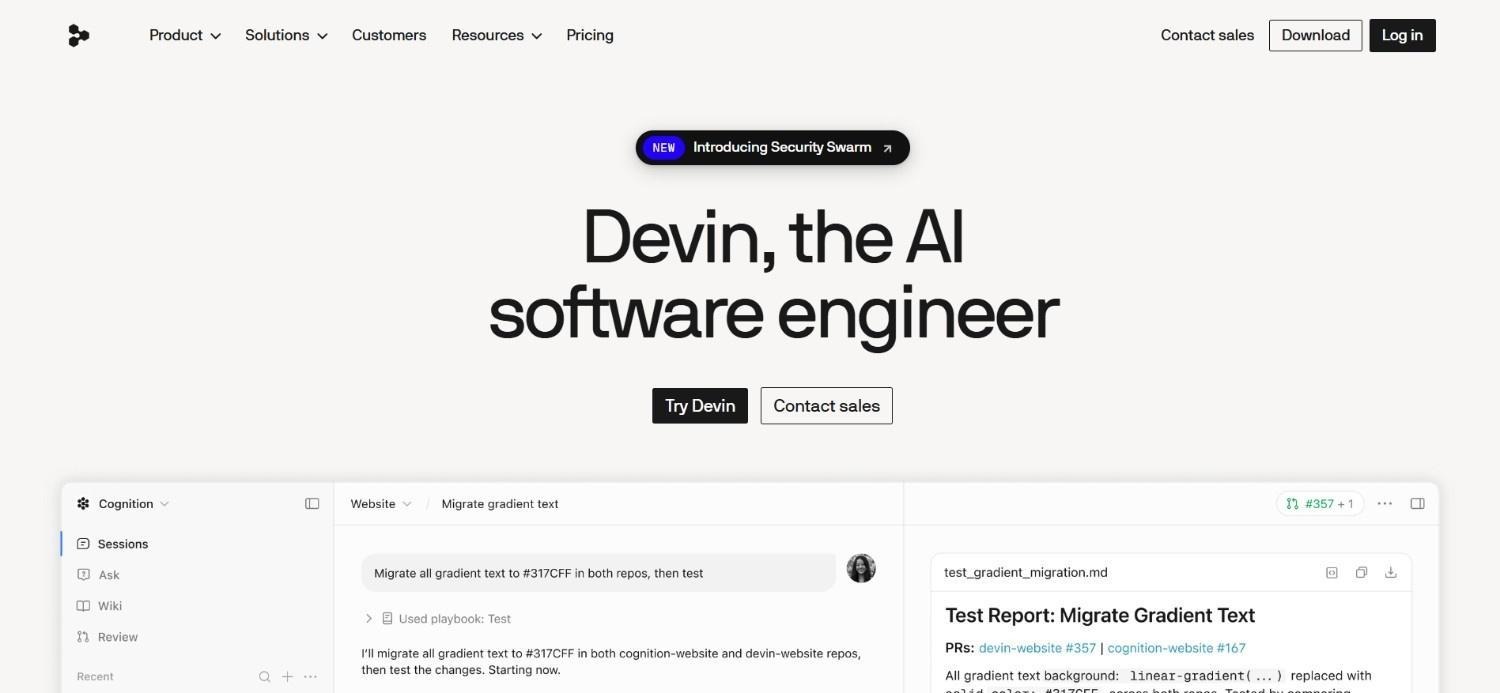
Devin AI is the closest thing on this list to CloudGeometry in ambition: it operates at the delivery layer rather than the editor layer. Launched in early 2024 to significant press attention, it has matured considerably, with GitHub and Slack integrations, long-horizon task capability, and an enterprise tier billed in agent compute units.
Rather than assisting a developer inside their IDE, Devin operates as a remote autonomous agent: it receives a task, sets up its own environment, implements and tests the solution, and opens a pull request for review.
That autonomy is both its distinguishing feature and its principal constraint.
Ideal For
- Engineering teams that want to offload routine, well-scoped development tasks to an autonomous agent and review the output as a PR
- Organizations evaluating Claude Code competitors at the autonomous end of the spectrum, where developer involvement per task is minimized
- Teams with well-documented, well-structured codebases where task scope is easy to define
- Companies piloting AI-native development workflows where humans review rather than write code
Top Features
- Long-Horizon Autonomous Execution: Devin sets up its own development environment, implements multi-step tasks across files and repositories, runs tests, and opens pull requests with minimal human input during execution.
- GitHub and Slack Integration: Tasks can be submitted via Slack, and Devin opens GitHub PRs for review, which reduces adoption friction for teams already working in those tools.
- Compute-Unit Enterprise Pricing: Devin's enterprise tier bills in agent compute units, giving organizations a measurable unit for AI development work rather than per-seat pricing.
Why It's a Strong Claude Code Alternative
Devin is a genuine alternative for teams that want to move toward a model where developers review AI-generated pull requests rather than writing code line by line. On well-scoped, routine tasks over clean codebases, that can meaningfully reduce developer time per task.
The difference from AI-MSL is where the human sits, and it is not a small difference. Devin puts the reviewer at the end: a pull request lands and a human approves the code, which is a genuine review gate. AI-MSL puts named humans at three points during the work, intent, design, and release readiness, with every action logged in between. Which you want depends less on your tolerance for AI and more on whether anyone downstream will ask you to prove why a change happened, not just that someone approved it.
Pros
- Long-horizon autonomous execution handles multi-step tasks without developer intervention during the coding phase
- Pull request model integrates naturally with existing code review workflows
- Compute-unit pricing gives organizations a measurable unit for budgeting AI development work
Cons
- Code review at the pull request covers the implementation, but not intent approval, architectural sign-off, or requirement-level traceability; teams that need a complete record from requirement through to deployment need the fuller chain
- Built around task-level autonomy rather than persistent system-level context, so brownfield dependency mapping sits outside the product's scope
- Published evidence is benchmark-based rather than drawn from brownfield production deployments, so buyers evaluating legacy systems have less comparable material to work from
Final Verdict
Devin is the right Claude Code alternative for teams that want to experiment with autonomous agent development on well-structured, greenfield-friendly codebases.
It is a harder fit for regulated environments, brownfield production systems, or organizations that need documented expert supervision and full traceability for every change.
Developer Tool Layer
3. Cursor

Overview
Cursor is an AI-native code editor, built as a fork of VS Code with deep AI integration throughout the IDE.
It is the most popular dedicated AI code editor as of 2026, with an active community and a feature set that includes multi-file context, Composer for agentic edits, Tab completions that understand project structure, and support for multiple frontier models from Anthropic, OpenAI, and Google.
For teams evaluating Claude Code alternatives primarily because of the terminal-only interface, Cursor is the most direct answer: comparable agentic depth, delivered inside an editor.
Ideal For
- Individual developers and engineering teams who want agentic capability inside an editor rather than a terminal
- Teams that prioritize persistent, codebase-wide indexing over session-based context loading
- Developers who want multi-model flexibility, switching between frontier models based on task requirements
- Engineering teams with large, complex codebases that benefit from project-wide indexing
- Solo developers and startup teams who want a strong AI coding experience without enterprise overhead
Top Features
- Codebase-Wide Context Indexing: Cursor indexes the entire project persistently rather than loading context per session, producing relevant completions for refactoring, cross-file changes, and architectural decisions.
- Composer Agent Mode: Describe a multi-file task in natural language; Composer plans and executes across multiple files simultaneously, going beyond single-file suggestion into agent-level task execution.
- Multi-Model Support: Select among frontier models per task. Cursor is not locked to a single AI vendor's model family.
Why It's a Strong Claude Code Alternative
Cursor is the most direct substitute for teams whose objection to Claude Code is workflow rather than capability. It delivers agentic multi-file execution inside a familiar editor, with persistent indexing instead of per-session context loading, and a subscription model that is more predictable than pure token billing.
Pros
- Codebase-wide persistent indexing avoids reloading context at the start of every session
- Composer agent mode handles multi-file task execution comparable to a terminal agent
- Multi-model flexibility allows switching between frontier models based on task and cost requirements
Cons
- Credit-based billing creates cost unpredictability for heavy users; agent mode on large codebases can exhaust monthly credits quickly
- No lifecycle governance, traceability, or expert supervision; same organizational throughput constraints as Claude Code
- Requires migrating to a new primary editor, which creates adoption friction for established teams
Pricing
Cursor offers a free tier, paid individual and team tiers, and custom enterprise pricing, with credit-based usage on frontier model selection.
Final Verdict
Cursor is the strongest Claude Code alternative for developers who want comparable agentic capability without the terminal-only workflow.
It is not suited to organizations that need lifecycle governance, managed delivery accountability, or a solution to the organizational throughput problem that individual developer tools cannot address.
4. OpenAI Codex
Overview
OpenAI Codex is OpenAI's cloud-based agentic coding system, accessible through ChatGPT rather than as a standalone IDE or terminal tool.
Codex operates in a cloud sandbox where it reads repositories, writes code, runs tests, and iterates on multi-step tasks without running locally on the developer's machine. It handles tasks asynchronously, letting developers submit work and review results rather than maintaining continuous focus on an AI coding session.
Ideal For
- Teams already paying for ChatGPT who want coding assistance bundled into an existing subscription
- Developers who want to parallelize multiple coding tasks asynchronously rather than holding a single terminal session
- Prototypers and greenfield developers building new applications
- Organizations that want to explore OpenAI's coding capability without committing to a new tool
- Engineering managers who want to submit well-scoped tasks and review outputs without being embedded in a coding session
Top Features
- Asynchronous Cloud Execution: Codex runs tasks in a cloud sandbox rather than on the developer's machine, which suits parallelizing work across multiple repositories or features simultaneously.
- ChatGPT Integration: Accessible directly through the ChatGPT interface, so teams already using ChatGPT can add coding capability without managing a separate tool.
- Multi-Task Parallelism: Multiple Codex tasks run concurrently, which is useful for teams working across several features or bug fixes at once.
Why It's a Strong Claude Code Alternative
OpenAI Codex is a viable alternative for developers already embedded in the ChatGPT ecosystem who want agentic coding without a terminal-first workflow. Its asynchronous execution model is genuinely different from Claude Code's session-based experience, which suits teams that would rather queue work than supervise it.
Pros
- Bundled into existing ChatGPT subscriptions, removing the need for a separate tool purchase
- Asynchronous execution allows task parallelization that session-based terminal tools cannot replicate
- Strong greenfield prototyping performance
Cons
- No IDE integration; entirely browser and API-based, creating friction for developers who prefer in-editor workflows
- Cloud execution limits access to private or sensitive codebases for organizations with strict data handling requirements
- Less effective on brownfield production work where codebase context depth matters more than raw generation speed
Pricing
Codex is bundled into ChatGPT plans across individual, team, and enterprise tiers.
Final Verdict
OpenAI Codex is the most logical Claude Code alternative for teams already invested in the OpenAI ecosystem who want asynchronous agentic coding without adopting a new tool.
It is not suited to teams requiring IDE integration, deep brownfield codebase context, or governance over AI-generated code.
5. Aider
Overview
Aider is a free, open-source, terminal-based AI coding assistant that pairs with any Git repository and uses diff-based edits to make changes under version control.
Built by Paul Gauthier, it is one of the most widely used open-source alternatives to Claude Code among developers who prefer terminal-first workflows and want transparent, Git-native AI coding assistance.
Its bring-your-own-key model means no subscription cost beyond the underlying LLM API, and local model support via Ollama means it can run entirely offline. Its design philosophy centers on transparency: Aider shows exactly what diff it is about to apply, commits with clear messages, and leaves developers in complete control of what reaches version control.
Ideal For
- Developers who want free, open-source AI coding assistance with full transparency over every change before it is committed
- Terminal-first engineers looking for a direct Claude Code substitute without usage-based subscription costs
- Teams with strict data privacy requirements who want to run AI coding assistance entirely with local models
- Open-source contributors and solo developers who want capable assistance without subscription commitment
- Developers who want AI assistance that integrates cleanly with existing Git and shell tooling
Top Features
- Git-Native Diff-Based Editing: Aider shows the exact diff of every proposed change before committing, and commits with clear, descriptive messages, keeping version control clean and auditable without additional tooling.
- Local Model Support: Full Ollama compatibility allows Aider to run entirely with local models, with no data leaving the developer's machine and no API costs.
- Multi-Model Support: Aider supports frontier models from Anthropic, OpenAI, and Google as well as local models, and switches between them based on task, cost, or performance.
Why It's a Strong Claude Code Alternative
Aider is the most direct free substitute for Claude Code's workflow: terminal-based, Git-native, agentic across multiple files. For developers whose only objection to Claude Code is cost, Aider delivers a comparable interaction model at API list price or nothing at all with local models.
Pros
- Fully free: no subscription, no credits, no usage-based billing beyond underlying API costs
- Git-native diff approach keeps version control clean and changes fully transparent before committing
- Local model support allows completely offline use with no data leaving the developer's environment
Cons
- No IDE integration, creating adoption friction for developers used to in-editor suggestions
- No lifecycle governance, expert supervision, or audit trails
- Community-governed; no enterprise SLA, dedicated support, or compliance documentation
Pricing
Aider is free and open-source under Apache 2.0. There are no paid tiers. Users pay only for the LLM API tokens they consume, or nothing if they run local models via Ollama.
Final Verdict
Aider is the right Claude Code alternative for cost-conscious developers who want transparent, Git-native AI coding assistance with no subscription overhead.
It is not suitable for organizations that need governance, compliance posture, managed delivery accountability, or IDE integration.
6. Amazon Q Developer
Overview
Amazon Q Developer is AWS's AI coding assistant, tightly integrated into the AWS ecosystem and available as an IDE plugin across VS Code, JetBrains, and the AWS Management Console.
It offers code completion, AI chat, code generation, security scanning, and transformation capabilities including an automated Java upgrade tool.
Its distinguishing feature is direct context from AWS services, infrastructure, and documentation alongside the developer's codebase. For teams building on AWS, that integration tends to produce more relevant recommendations than general-purpose assistants.
Ideal For
- Engineering teams building primarily on AWS who want AI assistance that understands their infrastructure context alongside their application code
- Organizations that want AWS-native security scanning and vulnerability detection built into the coding workflow
- Java development teams who want automated, AI-guided framework upgrade capability
- Teams that would rather not add separate security tooling for code scanning
- AWS-native startups and mid-market companies that want a single vendor for cloud infrastructure and AI coding assistance
Top Features
- AWS-Native Codebase Context: Amazon Q Developer pulls context from AWS service documentation, account-specific infrastructure, and application code simultaneously, producing more contextually relevant suggestions for AWS-native teams.
- Built-In Security Scanning: Code vulnerability scanning is included in the workflow rather than requiring a separate SAST tool, surfacing issues at the point of code generation.
- Automated Java Upgrade: An AI-guided transformation capability that automates Java framework upgrades, addressing a specific high-friction modernization task most coding assistants do not handle.
Why It's a Strong Claude Code Alternative
Amazon Q Developer trades Claude Code's raw reasoning depth for infrastructure awareness. For teams whose work spans application code and AWS configuration, knowing the account's actual infrastructure is often worth more than a larger context window over the repository alone.
Pros
- AWS-native context integration produces more relevant suggestions for teams running infrastructure and application code on AWS
- Built-in security scanning reduces the need for separate SAST tooling in the coding workflow
- Free tier is genuinely capable for individual developers, and the paid tier is competitively priced
Cons
- Value proposition diminishes significantly outside the AWS ecosystem; weaker choice for teams on Azure, GCP, or hybrid environments
- No lifecycle governance, traceability, or expert supervision; same organizational throughput limitations as other developer tools
- Agentic capability is less mature than Claude Code or Cursor for complex multi-file tasks
Pricing
Amazon Q Developer has a perpetual free tier with monthly limits and a paid Pro plan with higher usage limits and advanced features. Usage also consumes AWS credits and tokens priced per token depending on the selected model.
Final Verdict
Amazon Q Developer is a credible Claude Code alternative for AWS-native engineering teams that want infrastructure-aware coding assistance with built-in security scanning.
It is not suited to teams outside the AWS ecosystem, organizations requiring lifecycle governance, or developers who prioritize reasoning depth over infrastructure integration.
7. Gemini Code Assist
Overview
Gemini Code Assist is Google's enterprise AI coding assistant, built on the Gemini model family and integrated into VS Code, JetBrains, and the Google Cloud console.
Its distinguishing feature is a very large context window, supporting substantially more codebase context than most tools in the category, which generates better suggestions for teams working on very large codebases or repositories with complex cross-file dependencies.
It also integrates with Google Cloud, Google Workspace, and BigQuery alongside application codebases, which suits teams whose work spans application code and Google Cloud infrastructure simultaneously.
Ideal For
- Engineering teams building on Google Cloud who want AI assistance that understands both application code and cloud infrastructure context
- Organizations that want Google's enterprise security posture and data residency controls
- Teams working on very large codebases where context window size is the binding constraint
- Google Workspace organizations that want AI coding assistance integrated into existing Google tooling
- Enterprises that want a substantial free trial window before committing
Top Features
- Very Large Context Window: Gemini Code Assist indexes and reasons over significantly larger codebases than most alternatives. For teams with large monorepos or complex cross-service codebases, this materially changes suggestion quality.
- Google Cloud Integration: Direct context from Google Cloud infrastructure alongside application code produces more relevant suggestions for Google Cloud-native teams, similar to what Amazon Q Developer delivers for AWS teams.
- Enterprise Security Controls: Data residency options, VPC Service Controls, and Google's enterprise compliance posture address procurement requirements that smaller coding tools cannot meet.
Why It's a Strong Claude Code Alternative
For teams that chose Claude Code specifically for its context depth, Gemini Code Assist competes on the same axis and does so inside an IDE. Where it pulls ahead is infrastructure awareness for Google Cloud-native teams; where it falls behind is agentic depth on complex multi-step tasks.
Pros
- Context window is among the largest available; materially improves suggestion quality on large codebases
- Google Cloud integration produces infrastructure-aware suggestions for teams in the Google ecosystem
- Substantial free trial window provides a genuine enterprise evaluation period before commitment
Cons
- Value diminishes significantly outside the Google Cloud and Workspace ecosystem; weaker choice for AWS or Azure-primary teams
- Per-seat cost is higher than several alternatives at equivalent team sizes
- No lifecycle governance, traceability, or expert supervision; same organizational throughput constraints as other developer tools
Pricing
Gemini Code Assist is priced per user per month across Standard and Enterprise tiers, with discounts for annual billing and a free trial for evaluation.
Final Verdict
Gemini Code Assist is a credible Claude Code alternative for enterprises building on Google Cloud that require large context window support and Google's enterprise compliance posture.
It is not suited to teams outside the Google ecosystem, organizations that need lifecycle governance, or teams for whom per-seat cost is a primary driver.
8. Cline
Overview
Cline is an open-source VS Code extension that operates as a full coding agent with broad system access, with the developer approving actions as they happen rather than reviewing a finished result. Its defining feature is the bring-your-own-key model: Cline itself is free, and developers pay only for the AI inference they consume directly from their chosen model provider.
Among Claude Code alternatives for VS Code users, Cline occupies a distinctive position. It provides comparable agentic capability, reading and writing files, executing terminal commands, browser automation, and MCP tool integration, inside the VS Code environment.
Ideal For
- VS Code developers who want Claude Code-level agentic capability, including full filesystem and terminal access, without leaving their editor
- Solo developers and power users who want full agent control, model flexibility, and zero subscription overhead
- Teams that want to test multiple frontier models on their codebase before committing to a provider
- Developers with strong data privacy requirements who want to run AI assistance entirely with local models via Ollama
- Open-source contributors who prefer community-governed tooling with full code transparency
Top Features
- BYOK Model Flexibility: Connect any supported model directly, including frontier models from Anthropic, OpenAI, and Google, as well as local models via Ollama. Pay only for tokens consumed at API list price, with no Cline markup.
- Full System Tool Access: Reads and writes files, executes shell commands, uses browser automation, and connects to external tools via MCP, a broader tool surface than most IDE-based alternatives.
- Open-Source Transparency: The full codebase is available under Apache 2.0, so organizations can audit exactly what the agent does with their code.
Why It's a Strong Claude Code Alternative
Cline is one of the strongest options for VS Code developers who want the same level of agentic capability, including terminal and filesystem access, without being tied to a single vendor's model family or pricing model.
Its BYOK architecture makes cost entirely transparent: you see exactly what each API call costs, with no subscription overhead and no markup.
Pros
- Free tool: pay only for AI inference at provider API rates
- BYOK model flexibility allows switching between frontier and local models based on task and cost
- Open-source transparency gives organizations full visibility into agent behavior and data handling
Cons
- VS Code only; not available for terminal-first developers or other editors
- No lifecycle governance, expert supervision, or audit trails; production safety remains developer-dependent
- Enterprise support requires a custom plan; no SLA or dedicated support for most users
Pricing
Cline is free for individual developers with no subscription. Enterprise plans are available at custom pricing. Usage cost depends entirely on the model API connected and volume consumed.
Final Verdict
Cline is the right Claude Code alternative for VS Code developers who want full agentic control, model flexibility, and zero subscription cost.
It is not suited to organizations that need lifecycle governance, compliance posture, or managed delivery accountability.
9. GitHub Copilot
Overview
GitHub Copilot is Microsoft's AI coding assistant, built into the GitHub ecosystem and available as an extension across VS Code, JetBrains, Visual Studio, Neovim, and the GitHub web interface.
Launched in 2021, it created the AI coding assistant category and remains the most widely deployed option in enterprise engineering teams. Its strength relative to Claude Code is workflow breadth rather than reasoning depth: AI assistance appears in pull requests, issues, and Actions, not only at the point of writing code.
Ideal For
- Engineering teams deeply embedded in the GitHub ecosystem who want AI built into PRs, issues, and Actions
- Enterprises that need an AI coding tool with established procurement pathways and compliance documentation
- Individual developers who want contextual assistance across multiple IDEs without committing to a specific editor
- Organizations adopting AI coding tooling at scale with centralized billing, admin controls, and usage analytics
Top Features
- GitHub-Native Integration: AI assistance embedded directly in pull requests, issues, and Actions, not just in the editor. Developers get AI context on the work item, not only the file.
- Copilot Workspace: Plan-then-build agent mode that lets developers describe a task, review a proposed implementation plan, and execute across multiple files from a single prompt.
- Extensions and MCP Support: Third-party integrations pull context from Jira, Sentry, Datadog, and other workflow tools directly into the assistant.
Why It's a Strong Claude Code Alternative
Copilot solves a different half of the problem than Claude Code. Where Claude Code goes deep on a single reasoning session, Copilot goes wide across the development workflow. For teams whose friction is context-switching between the terminal and the PR queue rather than reasoning quality, that breadth matters more.
Enterprise procurement is also significantly more straightforward, given Microsoft's existing vendor relationships and compliance documentation.
Pros
- Native GitHub integration spans PRs, issues, Actions, and the web editor, not only the desktop IDE
- Most widely deployed AI coding tool in enterprise, with established procurement pathways
- Copilot Workspace brings plan-then-build agent capability into the GitHub workflow
Cons
- Optimized for workflow breadth rather than deep single-session reasoning; teams doing heavy multi-file refactoring often prefer a dedicated agent
- No end-to-end lifecycle governance or traceability beyond what GitHub's native PR history already provides
- Per-seat pricing compounds across large teams, and the usage-credit model adds billing complexity
Pricing
GitHub Copilot is priced per seat across individual, business, and enterprise tiers, with usage-based AI credits layered on top. Free access is available for verified students, teachers, and open-source maintainers.
Final Verdict
GitHub Copilot is the right Claude Code alternative for organizations that prioritize workflow breadth and procurement simplicity over raw reasoning depth.
It is not the right choice for organizations that need lifecycle governance, managed delivery accountability, or a structural answer to the organizational throughput problem.
10. Kilo Code
Overview
Kilo Code is an open-source VS Code extension that positions itself as a direct, model-agnostic Claude Code alternative for the IDE.
Launched in 2025 and gaining traction through 2026, it is built on a fork of Cline with additional features, a commercial pricing layer, and a BYOK architecture that lets developers connect any supported model without a platform subscription.
For VS Code users, it combines full agentic capability, open-source transparency, and a competitive pricing structure.
Ideal For
- VS Code developers who want Claude Code-level agentic capability, including filesystem access and terminal execution, inside their existing editor
- Teams that want model flexibility without being tied to a single vendor's pricing or model family
- Development teams that want an open-source, auditable codebase for their AI coding tool
- Organizations that want BYOK cost transparency with a more polished team-oriented workflow than Aider or Cline
- Developers who find the terminal model creates friction but want comparable depth in VS Code
Top Features
- Multi-Model Agentic Capability: Supports frontier models from Anthropic, OpenAI, and Google as well as local models via Ollama, with full file read/write and terminal execution inside VS Code.
- BYOK with Zero Markup: Connect your own API keys; Kilo Code adds no markup on AI inference. You pay exactly what the model provider charges.
- MCP Tool Integration: Native Model Context Protocol support connects the agent to external tools, databases, and services, extending context beyond the local codebase.
Why It's a Strong Claude Code Alternative
Kilo Code is among the most direct substitutes for VS Code developers who want the same agentic workflow inside their editor with full model flexibility. Its zero-markup BYOK model addresses the cost question directly: you pay the provider's rate per token with no platform overhead on top.
Pros
- Zero markup on AI inference: pay only the model provider's API rate, with no subscription for individual use
- Full agentic capability, including filesystem and terminal access, inside VS Code
- Open-source codebase (Apache 2.0) allows full audit of agent behavior and data handling
Cons
- Newer tool with a smaller community than GitHub Copilot, Cursor, or Cline; less ecosystem maturity
- VS Code only; not available for terminal-first developers or other editors
- No lifecycle governance, expert supervision, or audit trails; production safety remains developer-dependent
Pricing
Kilo Code is free for individuals, with a paid team tier and custom enterprise pricing. AI inference is billed separately, either through a pay-as-you-go pass or bring-your-own-keys with zero markup.
Final Verdict
Kilo Code is the right Claude Code alternative for VS Code developers seeking full agentic capability with model flexibility and cost transparency.
It is not suitable for terminal-first developers, organizations requiring lifecycle governance, or teams that need a larger community ecosystem.
Why Does CloudGeometry Work Across Multiple Use Cases?
Nine of the ten options above serve individual developers at the coding tool layer, and the tenth trades governance for autonomy. Where they stop, AI-MSL picks up. This section covers the specific use cases where the difference is most material, backed by real engagement outcomes.
1. CloudGeometry for Teams That Already Use Claude Code
Many of our customers used Claude Code before engaging AI-MSL, and many continue to, it runs inside our own execution layer. Individual developers got more done in terminal sessions. But backlogs kept growing, AI pilots stalled at proof-of-concept, and organizational throughput did not improve proportionally.
That is the lifecycle gap: AI accelerated individual output while the organizational delivery system stayed the same.
AI-MSL operates at the layer a coding tool cannot reach. AppGraph supplies the persistent system context that a per-session context window cannot hold, expert supervision at three defined gates means no unreviewed code reaches production, and outcome-based pricing means organizations pay for delivered changes rather than token consumption.
Adopting Claude Code is not a failure. It is usually how a team discovers that the constraint sits somewhere else.
2. CloudGeometry for Regulated Environments
Claude Code and most alternatives on this list generate code that developers review and apply. The governance burden stays with the developer and the organization's own review processes. For teams operating under external audit obligations, that model is often insufficient for audit purposes.
AI-MSL produces a complete traceability chain for every deployed change: business requirement, formalized requirement with acceptance criteria, technical specification, architecture decision, implementation and tests, review record, deployment record, and documentation update. That chain is generated as part of the development process rather than assembled afterward.
Nanox, a HIPAA-regulated medical imaging company, passed a HIPAA audit without findings after adopting AI-MSL.
3. CloudGeometry for Legacy Modernization
Claude Code handles large context well, but brownfield production systems often carry years of technical debt and undocumented tribal knowledge that a large context window alone cannot capture. The missing information is not in the repository to be read.
AppGraph addresses this by mapping the existing system, capturing tribal knowledge through supervised scanning, and giving AI persistent system context. Modernization then runs through the same governed pipeline as bug fixes and feature work rather than as a separate 12 to 18 month program.
Longroad Energy converted undocumented knowledge of a live production BI pipeline into reusable context bundles this way, against roughly 6,000 monitored devices and 2.5 GB of daily telemetry.
4. CloudGeometry for Engineering Cost Reduction
Claude Code's API costs rise as usage scales, which makes budgeting harder as adoption spreads. AI-MSL takes a different approach: replacing retained engineering capacity with outcome-based delivery, priced against approved work rather than token consumption.
Structurally, that runs at roughly one-third of traditional consulting cost for equivalent lifecycle scope.
Customers have seen organization-level results rather than individual productivity gains. Nanox reduced its engineering team from 12 to 2 engineers plus one QA manager on the same HIPAA-regulated workload. Digital Remedy achieved roughly 5x development velocity at approximately 10% of the cost of an equivalent in-house engineering team.
5. CloudGeometry for Knowledge Retention Through Attrition
The most expensive risk in most mid-market engineering organizations is not cost or velocity. It is that the reasoning behind key architectural decisions exists only in the heads of two or three long-tenured engineers. When one of them leaves, modernization stops, onboarding slows, and every subsequent change carries more risk than it should.
No coding tool addresses this. Claude Code, Cursor, and Cline all read your codebase and discard what they learned when the session ends.
AppGraph converts that tribal knowledge into a structured, queryable asset during the initial assessment, then keeps it current as the system evolves. Longroad Energy's evaluation phase turned undocumented knowledge of a live production BI pipeline into reusable context bundles that now ground every future change request against roughly 6,000 monitored devices and 2.5 GB of daily telemetry.
6. CloudGeometry for AI Capability Integration
Many mid-market technology companies want to add AI agents, copilots, or intelligent automation to their existing products but stall at proof-of-concept.
The gap between a pilot and production requires architecture validation, security review, integration testing, and documentation. None of that is what a coding tool handles.
AI-MSL plans the integration, executes the build, validates it, and delivers a production-ready branch. For teams building agentic AI workflows into their own products, our enterprise agentic AI platform, LangBuilder, is available as the execution layer. Eventric used it to deliver a working AI-powered venue comparison engine proof of concept in roughly 6 weeks, with a production-quality demo following at around 8 weeks.
When Does It Make Sense to Move Beyond a Coding Tool?
Most organizations do not switch from a developer tool to a managed delivery service because they read a comparison article. They switch because something changed. If one of the following has happened in the last quarter, the evaluation is probably worth running now rather than at the next budget cycle.
A new cost mandate landed. A CFO or board has asked for a specific reduction in software development spend, and the honest answer is that changing coding tools cannot produce it. API token spend is a rounding error against a fully loaded engineering team.
A senior engineer resigned. The people who understand why the system is shaped the way it is are the ones whose departure stops modernization. If losing one or two people would materially damage your ability to change your own product, the system intelligence problem is already active.
An AI pilot did not reach production. Pilots stall at the same place: nobody owns the lifecycle between a working demo and a deployed, reviewed, documented change. That is an ownership gap, not a model quality gap, and buying a better model does not close it.
A transformation program failed or stalled. A 12 to 18 month engagement ended with recommendations rather than shipped software, and the backlog is where it was.
An audit finding requires stronger delivery governance. Someone has asked you to trace a deployed change back to a business requirement and you could not do it quickly.
The backlog is growing despite hiring. This is the clearest signal that the constraint is coordination rather than capacity, and it is the one that adding engineers reliably makes worse.
Roadmap commitments keep slipping. If product leadership is repeatedly re-forecasting delivery dates against the same engineering team, the bottleneck has moved from prioritization to capacity, and no amount of roadmap discipline recovers it.
Organizations arriving with one of these triggers typically move through evaluation in 3 to 4 weeks rather than the usual 10 to 12, because the problem is already defined internally.
What Makes a Good Claude Code Alternative?
Not every alternative solves the same problem. These are the six questions worth answering before you shortlist anything, ordered so the first determines whether the rest apply.
1. Which Layer of the Stack Does It Address?
The most important factor is whether the alternative addresses the developer tool layer, improving what individual developers can do, or the delivery organization layer, improving what the organization can ship.
Codex, Aider, Amazon Q Developer, Cursor, Gemini Code Assist, Cline, GitHub Copilot, and Kilo Code all operate at the developer tool layer. CloudGeometry and, in a different form, Devin operate at the delivery organization layer.
Within the tool layer, the secondary question is terminal versus IDE. If Claude Code's terminal-only model is your specific friction point, Cursor, Cline, and Kilo Code deliver comparable agentic depth inside an editor. That is a real question, but it is a question about workflow preference, not about what your organization can deliver.
Answer the layer question first, because a tool cannot fix a delivery problem and a service is overkill for an editor problem.
2. Does It Work on Brownfield Production Systems?
Most commercial software runs on brownfield systems: codebases that are years old, imperfectly documented, and carrying architectural decisions that live in engineers' heads rather than in writing.
Claude Code's large context window helps here more than most tools, and that is a genuine strength. But a context window can only read what was written down. It does not resolve the dependency mapping and tribal knowledge problems, because that information was never committed to the repository in the first place.
Evaluate on real production code from your actual system, not on demo projects or vendor benchmarks.
3. Can You Trace a Deployed Change Back to a Business Requirement?
For teams in regulated industries, or any organization that will face board or audit questions about AI adoption, this is the question that matters.
Not "does the tool produce good code," but: can you show the chain from business requirement, through formalized scope and architecture decision, through expert review, to the deployment record, on demand, without reconstructing it?
Most developer tools cannot answer that. AI-MSL is designed around producing that chain as a by-product of doing the work.
The operating principle is simple enough to put on one line: AI executes. Humans govern. Context grounds the work. Every option here does the first part. The question is who does the other two.
4. What Happens to System Knowledge When Your Key Engineers Leave?
Every option on this list reads your codebase. Almost none of them retain what they learned.
A coding tool rebuilds context each session and discards it. A consultancy builds that understanding and takes it with them when the engagement ends. In both cases, the durable knowledge about why your system works the way it does stays concentrated in a small number of people, and their departure is a delivery risk.
Ask any vendor what persists after the session ends, the subscription lapses, or the contract closes. AppGraph exists specifically so the answer is "a structured model of your system that you own and export."
5. Are You Buying a Seat, a Token, or an Approved Change?
The relevant financial question is not which option is cheapest. It is what unit you are paying for, because the unit determines whether cost tracks outcomes.
- Per token (Claude Code, Aider, Cline, Kilo Code, BYOK setups): transparent per call, but unpredictable in aggregate under heavy agentic work
- Per seat (Cursor, Copilot, Gemini Code Assist, Amazon Q): predictable monthly, but scales with headcount whether or not the seat produces value
- Per approved change (CloudGeometry): scales with delivered scope, projected and approved before execution
Each carries different financial risk. Model your actual usage and delivery volume against the structure rather than comparing headline prices, and compare a managed service against total engineering cost rather than against your tooling line item.
6. Where Does Your Code Live, and What Does Exit Look Like?
For organizations with a CISO in the buying process, two questions decide the review: does code leave your environment, and what happens if you stop.
BYOK tools like Aider, Cline, and Kilo Code answer the first well, since local models via Ollama keep everything on the developer's machine. That is a real strength if data residency is your binding constraint.
The second question is less commonly asked and matters more over time. CloudGeometry operates on your existing infrastructure. The default is an isolated managed-cloud tenant; VPC and on-premises deployment are available where code must never leave your own deployment plane. Client code is never used to train any underlying model, and every lifecycle artifact, including the AppGraph itself, is your IP and exportable in standard formats. If the relationship ends, nothing has to be migrated back.
How to Choose the Right Claude Code Alternative for Your Needs
The criteria above define what to look for. These five steps show how to apply them.
1. Define Your Primary Constraint
Start by naming the actual problem. Is it developer speed? Agentic capability in an IDE rather than a terminal? Cost predictability? Governance for a regulated environment? Organizational throughput?
Each points to a different category of alternative. Naming the constraint first prevents you from evaluating the wrong set entirely.
2. Decide: Terminal, IDE, or Delivery Service
If the terminal-only model is the main friction point, evaluate IDE-integrated alternatives: Cursor, GitHub Copilot, Gemini Code Assist, Cline, or Kilo Code.
If the constraint is cost variability, evaluate BYOK tools: Aider, Cline, or Kilo Code.
If the constraint is organizational throughput, governance, or delivery cost, the right category is a managed delivery service, and no amount of tool comparison will surface it.
3. Audit Your Codebase
Be honest about whether your primary system is greenfield or brownfield production. For greenfield builds, most tools on this list serve well. For brownfield production carrying legacy debt, evaluate specifically on brownfield capability rather than greenfield demo performance.
4. Bring Governance Requirements in Before You Shortlist
If your organization has a CISO, compliance function, or board-level scrutiny on AI adoption, surface those requirements before you test anything rather than after procurement stalls.
Determine upfront what you actually need: per-change audit trail generation, documented expert review gates, private or on-premises deployment, contractual assurance that your code is not used for model training. Finding out at the end of an evaluation that none of your shortlist can produce an audit artifact is expensive.
5. Evaluate Against a Real System, and Model Total Cost
Do not evaluate on toy projects or vendor demos. Use representative files from your actual production codebase, and for token-based tools, model expected usage across your full team at realistic levels rather than a single developer's test session.
For a managed service, CloudGeometry's structured version of this is the System Intelligence Assessment: fixed-price, time-boxed, completed in days, delivering an AppGraph of your system and a structured health report. It is designed to have standalone value whether or not you proceed, so the evaluation itself produces something you keep.
Compare against the right baseline: tooling spend for a tool, fully loaded engineering cost for a service. You can model your own numbers with the AI-MSL savings calculator.
Everything You Need to Know About Claude Code Alternatives
Already Using Claude Code? Add the Layer It Cannot Reach
Claude Code is a strong tool for developers who want terminal-based AI coding assistance. We use it ourselves. But if your backlog is still growing, AI pilots are not reaching production, or engineering costs continue to rise, the bottleneck is organizational rather than individual.
That is the lifecycle gap, and it is what AI-MSL was built to close.
We deliver AI-governed software lifecycle execution on your existing stack, with no platform migration and no vendor lock-in. AppGraph gives AI persistent, structured context on your production system and keeps that knowledge in the system rather than in individual heads. Expert supervision at three defined gates means every change is reviewed before it reaches production. Outcome-based pricing means you pay for approved changes rather than token consumption.
We do not replace the Product Owner. We replace the engineering team. You keep strategy, product judgment, and roadmap ownership.
The first step is a System Intelligence Assessment: fixed price, time-boxed, delivered in days. You get an AppGraph of your system and a structured health report, and you keep both regardless of what you decide next.
- Book a discovery call, we can also arrange a reference call with the VP of R&D at Nanox (Nasdaq: NNOX) on how the operating-model transition actually went
- Model your numbers with the AI-MSL savings calculator
- Read the whitepaper: From AI-Assisted Coding to AI-Governed Software Lifecycle
FAQs About Claude Code Alternatives
What is Claude Code used for?
Claude Code is a terminal-based AI coding assistant used for agentic code generation, multi-file refactoring, codebase exploration, and complex reasoning tasks from the command line. It is built on Anthropic's Claude models and operates entirely in the CLI, which makes it well-suited to terminal-first developers who want AI that maintains context across a large portion of a codebase in a single session.
What are the best Claude Code alternatives in 2026?
It depends which problem you are solving. If the issue is the terminal-only workflow, Cursor, Cline, and Kilo Code deliver comparable agentic depth inside an editor. If the issue is cost, Aider and the BYOK tools remove subscription overhead entirely. If the issue is organizational, throughput, governance, or the cost of a retained engineering team, CloudGeometry is the best Claude Code alternative, operating at the delivery organization layer rather than the developer tool layer.
Is CloudGeometry a replacement for Claude Code?
Not exactly, and the distinction matters. AI-MSL executes with Claude Code, alongside Codex and Gemini, inside a governance layer, CloudGeometry is an inaugural Anthropic Consulting Partner. What AI-MSL adds is AppGraph for persistent system context, three human approval gates, and a traceability artifact for every deployed change. If you are comparing the two, you are comparing a coding tool to the delivery model that operates it.
Couldn't we just build this ourselves with Claude Code?
Some teams can, and it is a reasonable thing to attempt. Replicating AI-MSL internally means building AppGraph, a governance framework with defined approval gates, a multi-model orchestration layer, and a dedicated engineering management function to operate all of it. That infrastructure is not your product, and building it competes for exactly the senior engineering attention you are trying to free up.
What features should I look for in a Claude Code alternative?
It depends on the constraint you are addressing. If predictable cost is the priority, look for flat subscription pricing or BYOK models. If you prefer working in an IDE, choose a tool with VS Code or JetBrains support rather than a terminal-only experience. For enterprise use, prioritize per-change audit trails, deployment options, and governance. If you need broader engineering support, evaluate lifecycle ownership, what system knowledge persists after the engagement, outcome-based pricing, and exit terms.
How do I choose the best Claude Code alternative for my needs?
Name the specific constraint first, then decide whether you need a terminal tool, an IDE-integrated tool, or a managed delivery service, then audit whether your codebase is greenfield or brownfield production, and finally model total cost at realistic team scale rather than comparing individual subscription prices. For regulated environments, bring governance requirements into the evaluation before testing any tools.
Is it easy to switch from Claude Code to an alternative?
Moving to a terminal tool like Aider typically takes under an hour, mostly to configure API keys. Switching to an IDE-based tool like Cursor, Cline, or Kilo Code usually takes a day or two as you adapt to an editor-first workflow. Moving to a managed delivery service like CloudGeometry is different: it starts with a System Intelligence Assessment that builds an AppGraph of your existing system, typically completing in days while providing standalone value regardless of what comes next.
Is Cursor better than Claude Code?
They are stronger in different contexts. Claude Code is stronger for developers who want deep, session-level codebase reasoning in a terminal-first workflow and are comfortable with usage-based pricing. Cursor is stronger for developers who want comparable agentic capability inside a VS Code-compatible editor with persistent codebase indexing and a more predictable pricing model. Neither is categorically better; the choice depends primarily on whether your workflow is terminal-first or editor-first.
What is the main difference between Cursor and Claude Code?
How you use them. Claude Code is a terminal-based CLI that works within a single agentic session and bills on token usage. Cursor is an IDE-first editor that maintains persistent codebase indexing and runs inside a VS Code-compatible interface, using subscription or credit-based pricing instead of pure per-token billing. Cursor also supports multiple model families, while Claude Code is built specifically around Anthropic's Claude models.
Does Claude Code work for enterprise compliance requirements?
Claude Code does not natively provide per-change audit trails, expert review gates, or on-premises deployment. Anthropic offers enterprise plans with formal compliance documentation, but organizations still need additional tools or processes for delivery traceability and governance. CloudGeometry's AI-MSL takes a different approach, generating a complete traceability chain for every deployed change, business requirement, technical specification, review record, and deployment history, as part of the delivery process rather than documented afterward.
What is the best free Claude Code alternative?
Aider and Cline are the two strongest free options. Aider suits terminal-first developers: open-source, Git-native, with local model support through Ollama and a workflow close to Claude Code's. Cline is the better fit for VS Code users, providing agentic coding with filesystem and terminal access on a BYOK model, so you pay only the AI provider you choose rather than an additional subscription. Kilo Code is worth evaluating alongside Cline for teams that want a more polished collaborative workflow.